Product
In developmentVEGA Tasting
Ten minutes in the aisle, down to a few seconds.
You go in for one bottle, and ten minutes disappear. Plenty of choice, nothing to go on.
Point your camera at the label. VEGA Tasting tells you how it tastes and what to eat with it.
Not only wine. Sake, beer, whisky, gin, and shochu go in the same way. What sits in your cellar and what you've finished stay in one app.
What it does
You decide tonight's bottle from your own cellar.
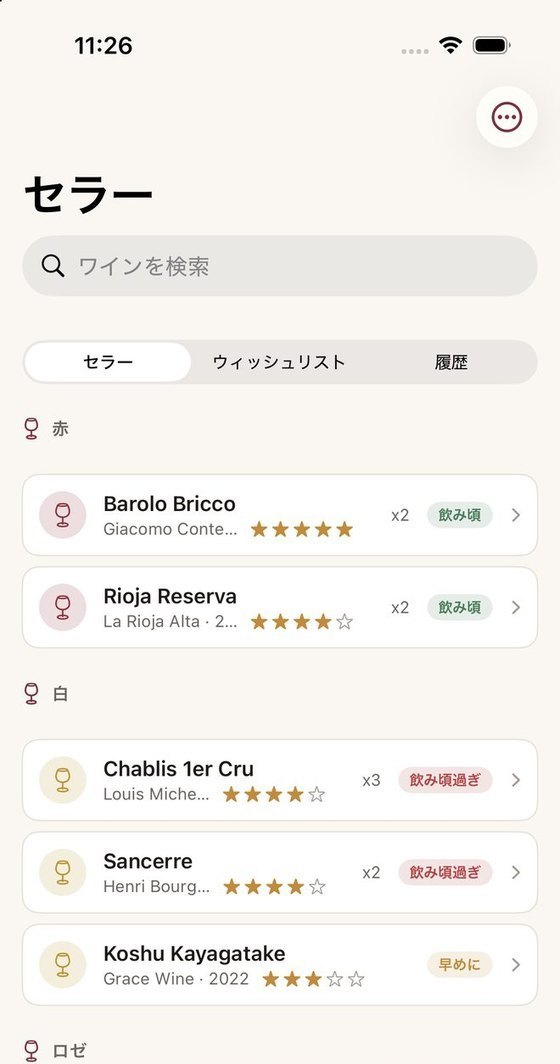
Your whole cellar sits in one list.
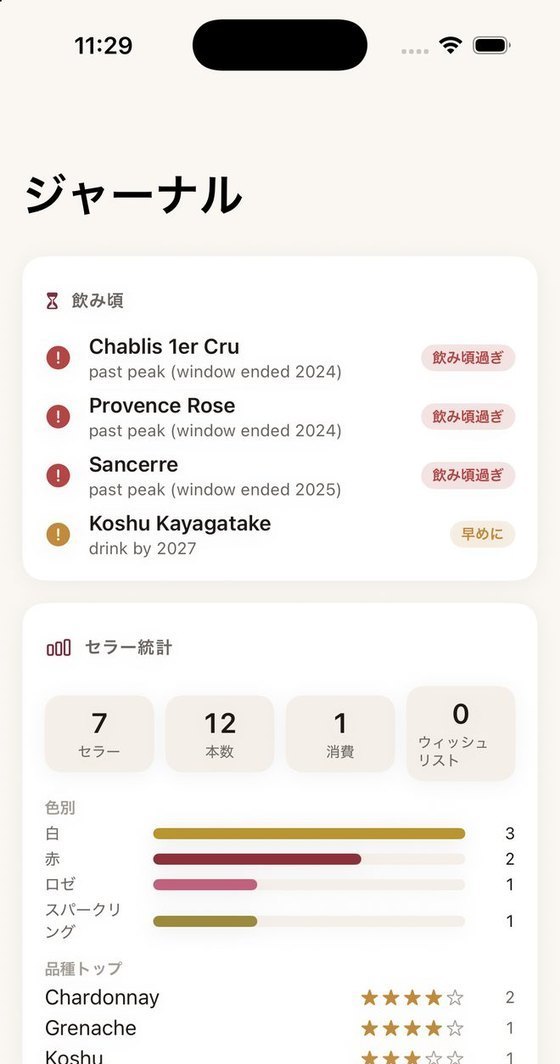
Bottles at home, bottles you've finished, and bottles you want to buy are kept apart. When one is close to its best, you'll hear about it.
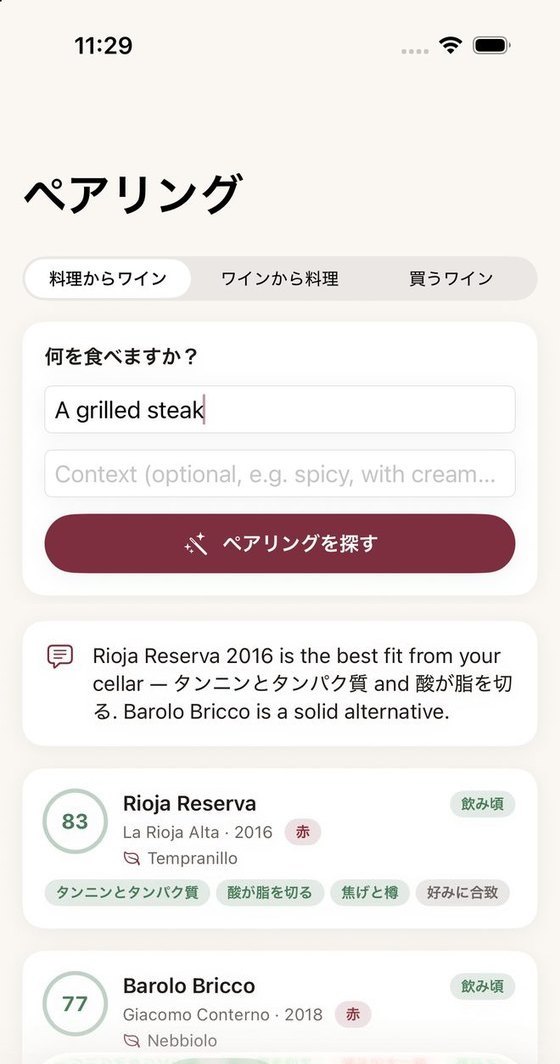
Tonight's meal puts them in order
Write down what you're eating, and your own bottles line up by how well they fit. Next to each score sits a short reason. You can start from a bottle and look for food instead.
The more you drink, the closer it gets to your taste.
On the day you open a bottle, leave a note on the taste and a rating. The next time bottles line up, that taste shows in the order.
Screens
Keep a record, choose, look back.
Also
A few other things come with it.
The bottle you're about to buy
You get the style, the grape, and the region that suit today's meal. No more standing in the aisle, undecided.
A map of the regions
Everything you record is marked on a map of where it came from. Over time the map becomes yours alone.
Language and display
Language and how things look are yours to pick in settings. Change them later, whenever it suits the way you use it.
Pricing
Recording what's in your cellar is free. What you pay for is help finding what to buy next.
Buy it once, pay yearly, or pay monthly — three ways to have it. The one-time purchase covers every feature that runs on this device, for good, including ones we add later. Only a feature that needs a server could ever be sold on its own. Nothing you have already paid for will move behind another paywall. Keeping records has no limit, and it never will.
Unlimited records for your cellar and what you've already drunk. Tonight's dish ranks the bottles you have. You'll never lose track of what's on hand.
A bottle read backward into dishes and whole courses. Guidance on what to buy next, down to the style, the grape, and the region. Your taste profile, a year in review, the map of regions, and word when a bottle's ready to drink.
Try it free for 14 days, then it renews once a year. While you're subscribed, you get everything the one-time purchase gives you.
There's no trial — billing starts the day you subscribe. It gives you the same as the one-time purchase, for as long as you're subscribed.
Prices shown are for the US App Store. VEGA Tasting hasn't launched yet, and these numbers may still change. You'll see the final price there before you buy.
Status
It is still being built.
When the release is set, we'll say so on this page.
If you'd like to try it early, write to us below. We'll answer in turn as soon as things are ready.
Support
Common questions
Do I have to enter my whole cellar first?
No. Even three bottles are enough to choose tonight's one. Adding a bottle takes a single line of typing, or a photo of the label.
Can I record things other than wine?
Yes. Sake, beer, whisky, gin, and shochu all go in the same place.
Will you tell me which bottle to buy?
We don't name a label or a producer. What you get is the style, the grape, and the region. A bottle named outright may not be on the shelf in front of you.
Where can I check how my information is handled?
The details are in the Privacy Policy: VEGA Tasting.
Contact
Questions and requests are welcome.
Bug reports and a wish to try it before release both come here.
- Contact Contact form
- X @vegaworks_