Product
Coming soonVEGA Schedule
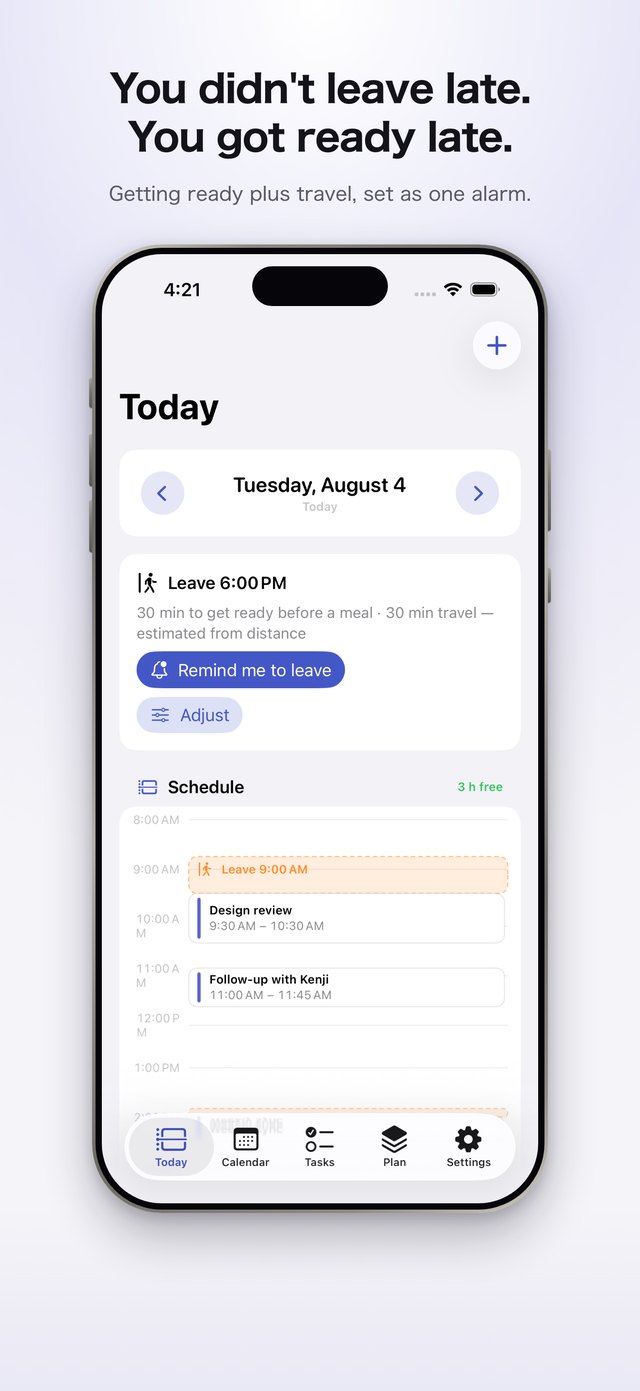
VEGA Schedule is a calendar app. It draws the time an event takes before it starts — getting ready first, then getting there.
Then it shows you what the day actually has left.
Your day starts before your calendar says.
To make a 7:30pm flight, you have to leave the house at 4:30pm. A calendar records the 7:30pm and stops there.
Packing, changing, the ride to the airport. Three hours before boarding, the day is already spoken for.
What it does
Before the event is part of the event.
VEGA Schedule shows the day with the getting ready and the travel counted in. No more scrambling at the last minute.
An event starts with getting ready
It estimates the getting ready an event needs, then adds the travel. The start time you see is the moment that getting ready begins.
Your free time is shorter than it looks
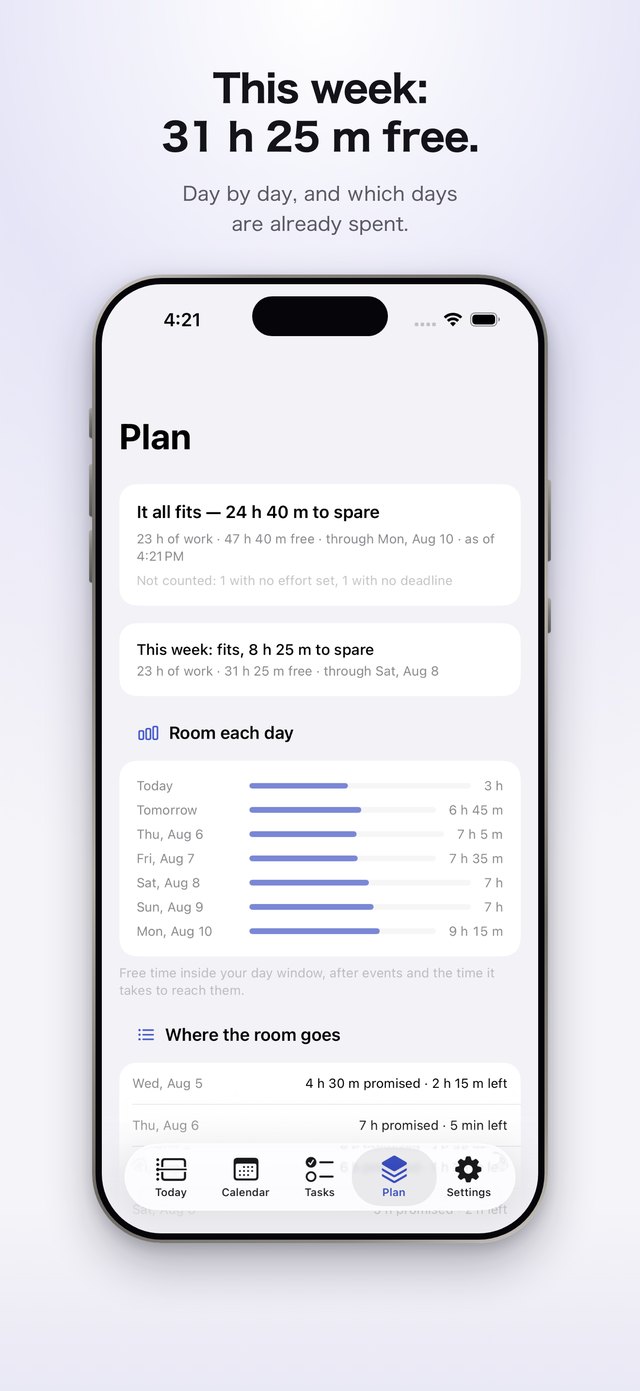
A calendar shows 7 hours 45 minutes free tomorrow. Put the getting ready and the travel back in, and it's 3 hours 30 minutes.
Some days won't hold everything
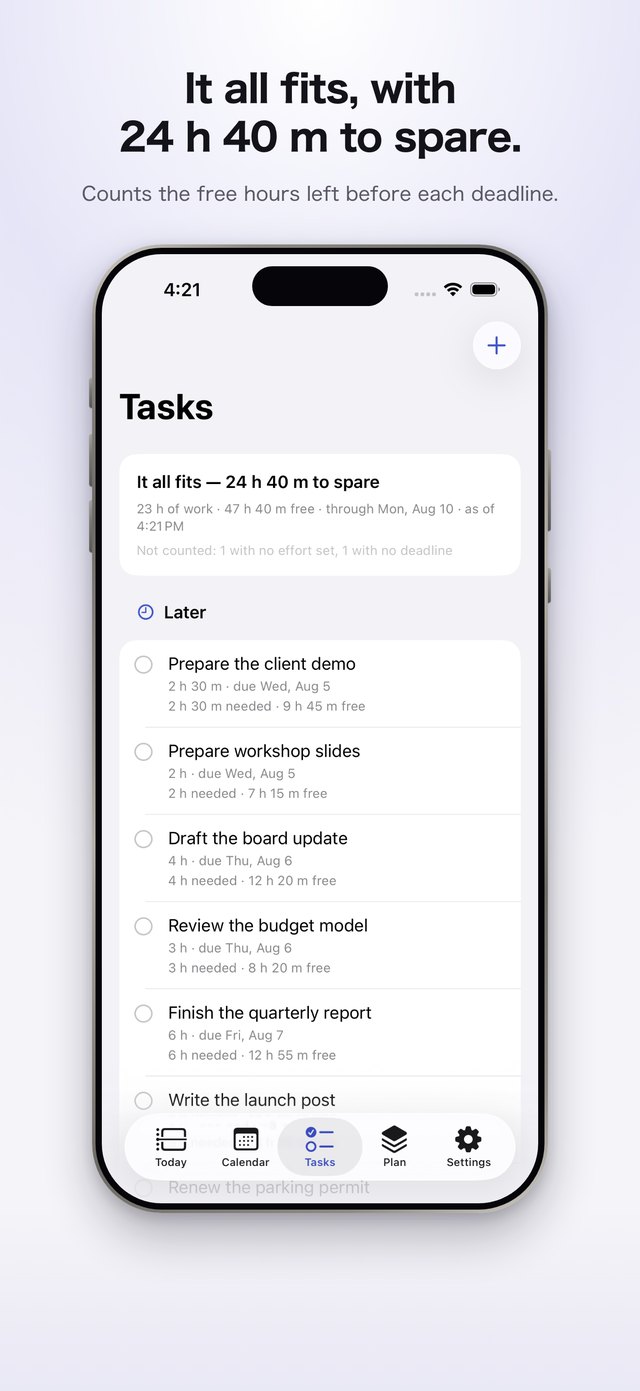
Sort the work that can wait from the work that can't. You make that call.
A dinner doesn't end when your calendar says
Mark it "End time unknown," and it won't count what follows as free time, or plan work into it. Right when it starts, one notification asks when it actually ends. Answering only records your answer, and nothing on your calendar changes until you confirm inside the app. Confirm, and the rest of your day is free again.
Screens
Here's how it looks on screen.
Pricing
Your calendar is free. What you pay for is the ledger of work you've taken on.
Buy it once, pay yearly, or pay monthly — three ways to have the ledger of work. The one-time purchase covers every feature that runs on this device, for good, including ones we add later. Only a feature that needs a server could ever be sold on its own. Nothing you have already paid for will move behind another paywall.
It works out how long you'll need to get ready and get there, then tells you when to leave. Adjust it once, and it learns for next time.
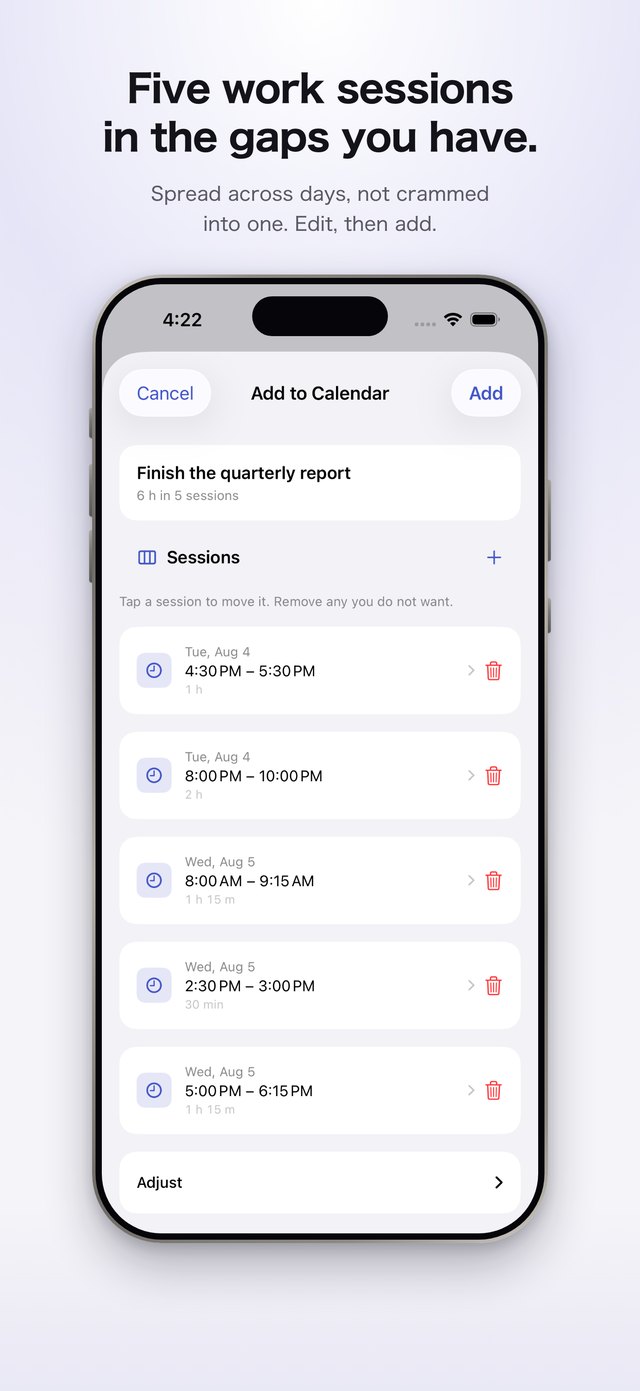
It counts back from your deadline, through the hours your calendar leaves free, to find your last day to start. It weighs the hours of work against the hours you have free. When the hours run short, it shows which task waits. Then it places work sessions in the gaps you have, ready to edit before anything saves.
Try it free for 14 days, then it renews once a year. While you're subscribed, you get everything the one-time purchase gives you.
There's no trial — billing starts the day you subscribe. It gives you the same as the one-time purchase, for as long as you're subscribed.
Prices shown are for the US App Store. VEGA Schedule hasn't launched yet, and these numbers may still change. You'll see the final price there before you buy.
Questions
Good to know.
What devices does it run on?
iPhone and iPad. You need iOS 26 or iPadOS 26 or later.
Does it replace my calendar?
No. It reads and writes the calendar and reminders already on your iPhone or iPad. Connect a Google Calendar too, and its events count toward the same day. That connection is optional and read-only — nothing is ever written back to Google. Anything the app adds is an ordinary event, so you can edit or delete it anywhere.
What happens to the events it added if I stop using it?
They stay where they are. Each one is saved as an ordinary event, so you can delete it anywhere if you don't want it.
What if the times don't match how I actually work?
Change them on the spot. The next set of times comes closer to your own.
Can I try it before it's released?
Write to us through the Contact section at the bottom of this page. We're looking for people to try it ahead of release.
Contact
Tell us what you think.
Bug reports and feature requests are both welcome. If you'd like to try VEGA Schedule before release, write here too.
- Contact Contact form
- X @vegaworks_